Calcutta High Court Case Monitoring System
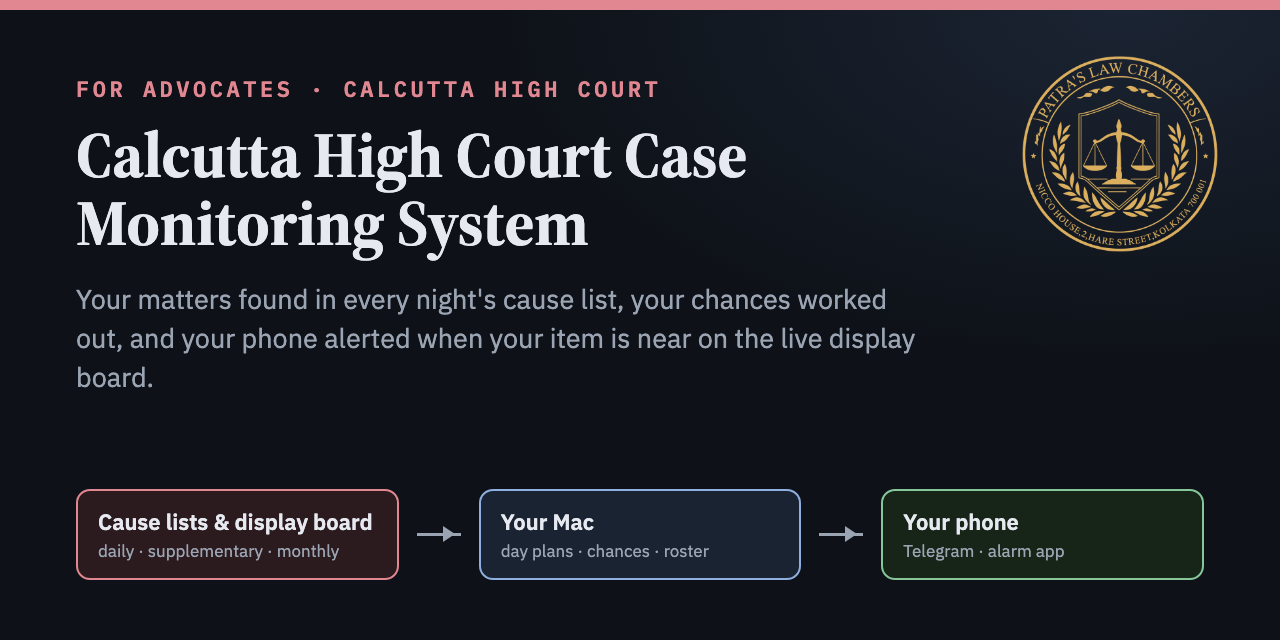
You enter your name once. Every night the system finds your matters in the Calcutta High Court cause lists and tells you on Telegram which court, which item, under which heading, and how likely each matter is to be reached. During court hours it watches the live display board and rings your phone when your item is near, when it is on, or when its heading closes before your item. At any time you can ask it about any court, any judge, any group of matters or any case, and forward it a bar notice when the courts rise early.
01Your day with it
This is what arrives on your phone in an ordinary court week, and the one thing you do yourself. Everything else runs on your Mac without you.
02How it works
There are three places involved. The High Court publishes cause lists as public PDF files and shows the running items on its display board. Your Mac reads both and works everything out. Your phone receives the results through Telegram and an alarm app. Nothing is kept on anyone else's computer.
03Set up (about 15 minutes, once)
You need a Mac that is switched on during court hours (a Mac mini is ideal because it does not sleep), Google Chrome on that Mac, and Telegram on your phone. The installer uses the Python that comes with macOS; if the Mac asks to install Apple's developer tools, click Install and run the installer again.
Installation at a glance
Six steps, in order. Each column shows where the step is done, and each box shows the command or link for it. The detailed instructions follow below the diagram.
- Make your own Telegram botIn Telegram, open @BotFather, send
/newbot, choose any display name, and choose a username that ends inbot. BotFather replies with a token that looks like123456789:AA…. Keep it for step 3. Your bot talks only to you. - Install the programOpen Terminal (Applications › Utilities › Terminal), paste this line and press Return. It downloads the program into your home folder and sets up the background schedule.
curl -fsSL https://raw.githubusercontent.com/advocatesudippatra-spec/calcutta-high-court-case-monitoring-system/main/get.sh | bash
Or, with the GitHub tool:
brew install gh
gh repo clone advocatesudippatra-spec/calcutta-high-court-case-monitoring-system ~/CaseMonitoringSystem && ~/CaseMonitoringSystem/install.sh
- Answer the setup questionsThe installer then asks a few questions and does everything else. You can run them again later with
~/.casemonitor/casemonitor setup.Your name as printed in the cause list (other spellings separated by commas): ARUN KUMAR SEN, A K SEN Paste your Telegram bot token: 123456789:AA… Token OK. Open your bot in Telegram and send: hello Connected to your chat. Your phone: [1] Android [2] iPhone 2 Pushover user key for loud alarms (Enter to skip): u9x… Check every night: [A] Appellate [O] Original [J] Jalpaiguri A Is this your main Mac (on during court hours)? [Y/n] Y Open the display board by itself at 10:15 on court days? [Y/n] Y Done. A test message is on your phone. - Add the Board Watcher to ChromeInstall Tampermonkey (by Jan Biniok) from the Chrome Web Store. Type
chrome://extensionsin Chrome's address bar, open Tampermonkey's Details and turn on Allow User Scripts. Then open the link below in Chrome on the same Mac and click Install. The watcher updates itself from then on, and it takes its alert settings from the program, so there is nothing to paste.http://127.0.0.1:8766/watcher.user.js
- Check that it worksSend
/statusto your bot; a reply comes within seconds. On the Mac you can also run:~/.casemonitor/casemonitor status
04Phone setup
Telegram carries every report, reminder and answer on both kinds of phone. For the loud alarm that rings even when the phone is silent, Android uses the free ntfy app and iPhone uses Pushover.
- TelegramOpen your bot, tap its name, and turn Notifications on with a distinct sound, so court messages stand out from your groups.
- ntfy (loud alarm, free)Install ntfy from the Play Store, tap +, and subscribe to the topic shown at the end of setup. To see the topic again, send
/ntfyto your bot. - Ring through Do Not Disturbntfy › Settings › turn on "Keep alerting for highest priority". Android Settings › Apps › ntfy › Notifications › Max priority › allow "Override Do Not Disturb". Android Settings › Apps › ntfy › Battery › Unrestricted.
- TelegramOpen your bot, tap its name and turn Notifications on. In iPhone Settings › Notifications › Telegram, turn on Time Sensitive Notifications and turn off Scheduled Summary.
- Pushover (loud alarm, one-time purchase)Install Pushover from the App Store and enter your user key during setup. "5 away", "item ON" and "heading closed" then arrive as alarms that repeat until you acknowledge them. Allow Critical Alerts for Pushover so they sound even on silent.
- Focus and Do Not DisturbiPhone Settings › Focus › your Focus › Apps › add Telegram and Pushover, so court alerts come through while other apps stay quiet.
05Daily routine
| When | You do |
|---|---|
| 10:00 PM | Nothing. Tap Original Side, Jalpaiguri or Both under the question if you want those lists checked too; the report follows within minutes. |
| About 10:15 AM | The display board opens on your Mac by itself and its CAPTCHA picture comes to your Telegram. Reply with the characters; the watcher types them in. The watcher shows "Today's matters loaded" and starts. |
| Court hours | Nothing. Your phone rings when your item is near or on. If the board stops updating or asks for the CAPTCHA again, you get a message. |
| Courts rise early | Forward the bar notice to your bot, or send a photo of it. Chances are recalculated and the watcher stops at the rising time. |
| On a MacBook | Keep the lid open and the charger in; Court Mode keeps it awake until 4:45 PM (send /courton). |
06How "likely" is worked out
The system does not simply count how many items are ahead of yours. It reads each court's list the way an advocate would.
- Day planEvery heading of the court's list with its item range and count, for example Bail (2026) 21–421 · Anticipatory Bail 422–865 · Adjourned Bail 866–891.
- Bench note as a timetable"Till 12:30", "after 12:30 till recess", "after recess till 4 PM", "fixed matters from 4 PM", "his Lordship shall sit at 2:30", "appellate side matters from 2 PM" and "original side matters from 3 PM" become start and end times. A note for today's date beats a weekly rule; notes for other weekdays are ignored.
- Fixed itemsItems marked like
[AT 4.00 P.M.], and headings with their own time, are placed at that time and are not counted as ahead of you. - Your item inside its headingOnly the items ahead of yours in the same heading are measured against that heading's time. Example: 324th of 444 in Anticipatory Bail; slot 12:30–1:30 PM; the heading closes at recess and is not scheduled again today, so the item is likely not reached.
- Monthly listsWhen a daily list says "items 415 to 531 of the combined monthly list dated 3rd August of Justice X", the system fetches that monthly list and tells you if your matters fall in the range.
- Anything unclear is shownNotes are written differently every day. Anything the system cannot read is quoted in the report as "note not fully understood, check it yourself".
- Courts not expected to sitA court shown with "-" instead of a time in the list's opening summary of Benches, or whose note says it will not sit, is marked in the report and left out of the reminders. Its board is still watched, in case it sits after all.
07Ask the bot
Type plain words to your bot; no special format is needed. It answers from the whole cause list (every court, every item, all sides), from the stored roster history, and from the live board while it is open. Add tomorrow, a date such as 29/09, or original side / jalpaiguri to any question.
Court 1 · Chief Justice & Justice …
Court 11 · Justice … & Justice …
Court 18 · Justice …
Court 446 · Justice …
⚪ Court 14, item 563 · WPA/…/2026 · VERY LOW
Court 35 · Justice …: 14-07 → today
Replies above are examples of the format, not real data.
08The board opens by itself at 10:15, and its CAPTCHA comes to your phone
On court days with your matters, the main Mac opens the display board by itself at 10:15 AM. The Board Watcher takes the CAPTCHA picture from the page and the bot sends it to you on Telegram. Reply with the characters you see; the watcher types them in, clicks Validate CAPTCHA, loads today's matters and starts watching. If the answer is not accepted, or the board asks again later in the day, a new picture comes the same way. You always read the CAPTCHA yourself; the program only carries the picture to your phone and your reply back to the board. You can still type it on the Mac instead.
09Court notices: who is not sitting, who takes their matters
Every court day on which you have matters, from 10:30 AM (and then every 10 minutes until 2 PM) the system reads the High Court's "Assignment / Determination / Roster / Sitting" notices: sitting notices, modified determinations and assignment of cases. It tells you only about the notices that name one of your courts or its judge, quoting the relevant line, for example "the urgent matters from the list and determination of Justice X shall be taken up by Justice Y". This matters most when a judge is not sitting, or a Division Bench judge sits singly, and the matter goes to another Bench. Every notice read is kept for good, so you can ask about it later (notices, notices court 22, modified determination), and a determination in force for tomorrow is added to the nightly report.
10Courts rising early
When a condolence resolution or other notice says the courts will rise early or not work, tell your bot by forwarding the message, pasting its text, sending a photo or PDF of it (the Mac reads the text in the picture), or typing /rise 3:30 pm. The bot confirms, recalculates today's chances, and the watcher stops at that time instead of reporting that the board is not updating. "Abstain from work tomorrow" turns off that day's reminders and alerts. Even without a notice, a board that stops changing after 3:15 PM is treated as the courts having risen. To have the bot read notices posted in a Telegram group, add your bot to the group and send /watchgroup there yourself.
11All commands
Send these to your bot in Telegram
| Send | What it does |
|---|---|
/status | Whether it is running, which Mac replied, instant replies on or off, your ntfy topic, recent jobs. |
/now | Send the report for the next list day right away. |
/stop · /resume | Pause everything on all your Macs, and start again. |
/os · /jal · /both | Also check the Original Side, Jalpaiguri, or both, for the next list day. |
/monthly | Your matters in the latest monthly list. |
/rise 3:30 pm · cancel notice | Courts rise early today (or /rise 1 pm tomorrow); back to normal hours. |
/watchgroup | Sent by you inside a group: read court notices posted there. |
/courton 14:00 · /courtoff | MacBook only: keep it awake until 2 PM; let it sleep again. |
/ntfy · /help | Show the alarm topic; list what you can ask. |
| plain words | group 6, anticipatory bail, justice …, court 35, mentioning 25, fixed 35, find 1234, advocate …, party …, running 12, board, my courts, courts, group 6 history, justice … history, changes. |
Run these in Terminal on the Mac
Every command starts with ~/.casemonitor/casemonitor. Copy the ones you need.
~/CaseMonitoringSystem/try.sh "ARUN KUMAR SEN" 25092026
Try the system for any name and date without installing or sending anything (it uses a separate test folder).
~/.casemonitor/casemonitor setup
Change your name, bot, phone type, alarm app or nightly sides.
~/.casemonitor/casemonitor status
Show whether it is active, the ntfy topic and the recent jobs.
~/.casemonitor/casemonitor report --date 29092026 --dry-run
See the report for a date on screen without sending it (leave out --dry-run to send it; add --sides A,O,J for other sides).
~/.casemonitor/casemonitor ask "group 6 tomorrow"
Ask the roster a question and read the answer in Terminal.
~/.casemonitor/casemonitor board
Open the display board in Chrome.
~/.casemonitor/casemonitor monthly --dry-run
Your matters in the latest monthly list.
~/.casemonitor/casemonitor backfill --from 01072026
Load past cause lists into the roster history (useful right after installing).
~/.casemonitor/casemonitor forget-database
Delete the stored roster history (asks you to type DELETE; add --before 01012026 to delete only older lists).
~/.casemonitor/casemonitor simulate --at "2026-09-26 14:00"
Test what the schedule would do at a given time, without sending anything.
tail -40 ~/.casemonitor/logs/tick.log
See what the background check did recently.
~/CaseMonitoringSystem/uninstall.sh
Remove the background schedule from this Mac (your settings and history stay unless you delete ~/.casemonitor).
12Feature checklist
Everything the current system does is carried into the general version.
Reads the cause lists
- Appellate Side daily list every night, and supplementary lists for the same date.
- Original Side and Jalpaiguri on a button at 10 PM or with
/os,/jal,/both. - Monthly lists: found automatically, with a report of all your matters in them.
- "Items x to y of the monthly list dated …" linked to your matters in that exact list.
- Monday's list checked from Saturday noon; holidays handled by looking ahead.
- "List not published yet" notice when a working day's list is late.
- Downloads retried automatically when the court site drops a connection.
Works out your chances
- Day plan of every court with your matter.
- Bench notes read as a timetable, including sitting times and the other side's hours.
- Fixed items and timed headings placed at their time.
- Your item judged inside its own heading, with "heading closes before your item" warnings.
- Unclear notes quoted for you to check.
Reports and reminders
- 8:30 and 9:30 PM heads-up when a matter is realistically likely.
- 10 PM report with day plans, reasons and VC links, plus a table file to open in a browser.
- Catch-up report in the morning if no Mac was on at 10 PM.
- 8:30, 9:30 and 10 AM reminders listing every matter; alarm at 10 when one is likely.
- Everything also mirrored to the alarm app.
Watches the live board
- Today's matters loaded by itself; watcher updates itself.
- Alerts at 20, 10 and 5 items away, and "your item is on".
- "Heading closed before your item, probably not reached" alarm.
- Board jumping past your item, and "already past when watching began", reported.
- Planned moves (another heading at its time, fixed matters) not treated as skips.
- Alerts when the board stops updating, asks for the CAPTCHA again, or a court is not on the board by 10:50.
- Long-running matters: in courts where your item is likely today, a matter running over 10 minutes is reported, again at 20, 30… minutes, and once more when it ends, with how long it ran.
- Keeps the screen awake while the board is open; 30-day record of how courts moved; 5 PM summary.
Answers questions
- Any court, judge, group, kind of matter, case number, advocate or party.
- Mentioning rules and fixed hearings of a court, quoted from the list.
- Live running item of any court, with its case and heading.
- Reads a cause-list PDF you send it.
- Replies within seconds from the main Mac.
Remembers the roster
- Every court and item of every list read, kept until you delete it (about 2 MB a day).
- "Group 6 history", "who took … before", "justice … history".
- Message when a new list changes a court's judge or determination, showing what was added or removed.
- Past lists can be loaded; history deleted only on your command.
Court notices
- Reads forwarded or pasted notices, and photos or PDFs of notices.
- Reads notices posted in a group you register.
- Rising time recalculates chances and stops the watcher; "no work" days switch off reminders.
- A board frozen after 3:15 PM treated as the courts having risen.
Macs, phones and upkeep
- Main Mac plus optional backup Macs, sharing one memory: no duplicate messages.
- One alarm topic for all your Macs; every Mac updates itself from GitHub daily.
- MacBook extras: Court Mode to stay awake, and an 8:25 AM weekday wake-up.
- Android (ntfy) and iPhone (Pushover) alarms.
- Downloaded PDFs removed after 10 days; about 7–17 MB added per court day.
13Questions
Do I need a Mac?
Yes. The program and the Board Watcher run on a Mac that is on during court hours. A Mac mini works best because it never sleeps; a MacBook works with Court Mode and the lid open.
Will other users see my matters?
No. Each person makes their own Telegram bot and runs the program on their own Mac. Your name, matters, questions and history never leave your Mac and your own Telegram chat.
Does it get past the display board's CAPTCHA?
No. You type the CAPTCHA yourself once a day. The watcher only reads what the official page already shows and makes no requests to the court's server of its own.
How much space does it use?
About 7 to 17 MB a day. Downloaded PDFs are removed after 10 days. The roster history grows by about 2 MB a day, around 600 MB a year, and stays until you delete it.
Which courts does it cover?
The Calcutta High Court: Appellate Side, Original Side, the Jalpaiguri Circuit Bench and the Port Blair Circuit Bench.
Chances are estimates from the cause list, the Bench's notes and the items ahead. Always check the determination yourself.
About Patra's Law Chambers
This system was built and released by Patra's Law Chambers, a litigation practice with chambers in Kolkata and New Delhi, out of its founder's daily practice at the Calcutta High Court.
Advocate Sudip Patra, Founder & Managing Partner, is an alumnus of IIT Kharagpur. He holds a B.Tech in Electrical Engineering, an LL.B. (Hons.) in Intellectual Property Law, a PG Diploma in Power Transmission & Distribution, and a PG Executive Diploma in Business & Corporate Law from IIM Calcutta (Joka). A practising advocate with over 10 years of experience, he specialises in intellectual property, corporate law, arbitration, civil and criminal litigation, and High Court and Supreme Court matters.
Founded in 2020 as a solo practice in Kolkata, the firm opened its New Delhi chamber in 2023 and has grown into a team of more than 10 legal professionals. It practises before the Supreme Court of India, the Calcutta High Court, and tribunals including the CAT, AFT, DRT/DRAT and NCLT, as well as civil and criminal courts, in corporate and commercial law, intellectual property, cyber law and arbitration, government service disputes, civil and criminal litigation, NCLT and insolvency, land and banking disputes, and High Court and Supreme Court matters.
Kolkata: NICCO House, 6th Floor, 2 Hare Street, Kolkata 700001 · New Delhi: 4455/5, 1st Floor, Gali Shahid Bhagat Singh, Paharganj, New Delhi 110055 · Website: patraslawchambers.com · Phone / WhatsApp: +91 890 222 4444